Import a screenshot
Choose a board image from a supported word-tile game, or build the position manually.
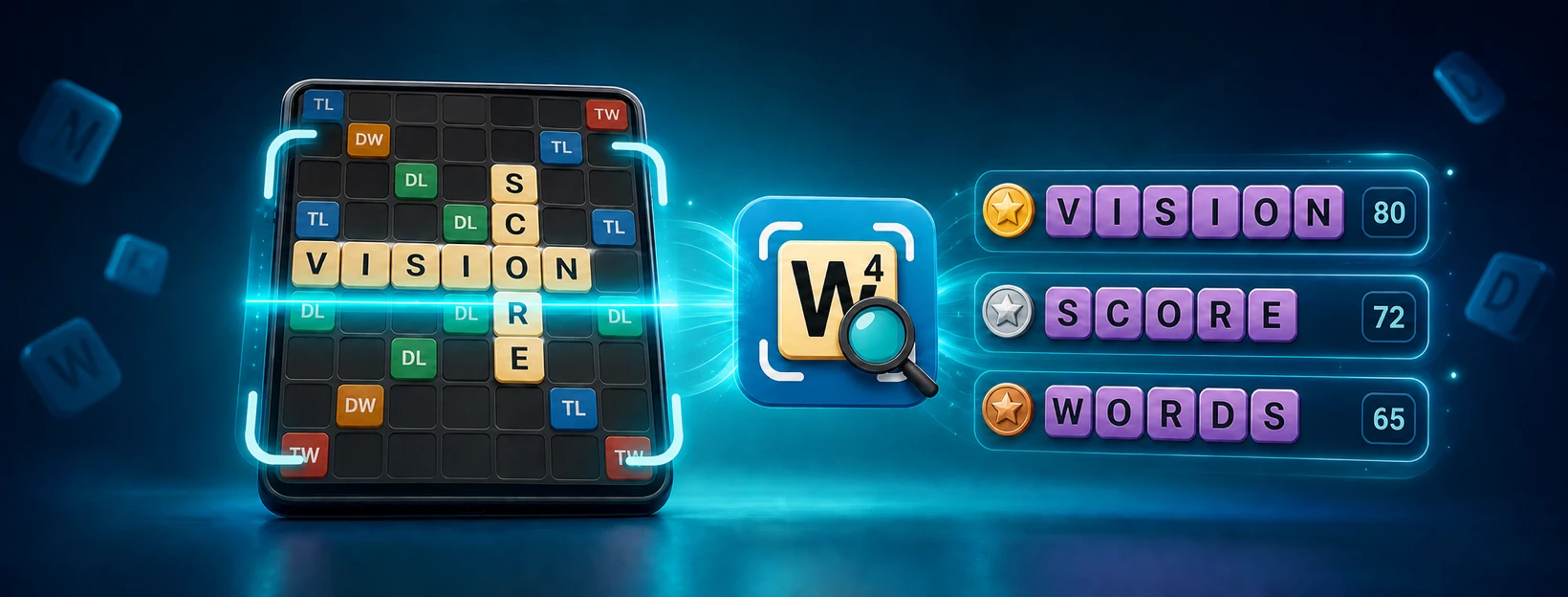
Turn a word-board screenshot into a clear list of playable moves without sending it to a server. TileVision recognizes and solves the board on your device, lets you correct any tile, and helps you compare solutions by score.
Choose a board image from a supported word-tile game, or build the position manually.
Review the detected letters and bonus squares, then adjust anything that needs a quick correction.
Move through possible words, compare scores, and study how each option fits the board.
One board. More possibilities.
TileVision makes it easier to learn from difficult turns without re-entering an entire board. Import a screenshot, inspect the recognized position, and explore alternative moves at your own pace.
TileVision processes screenshots and calculates word placements locally on your phone or tablet. Your board is not uploaded to a server for recognition or solving, and you can also use the built-in Board Editor without a screenshot.
TileVision is designed for screenshots from popular word-tile games such as Wordfeud, Scrabble GO, Words With Friends, and similar board formats. Dictionary availability varies with the game style you select.
TileVision is an independent word-game solver and board-analysis utility. It is not affiliated with or endorsed by third-party game publishers.
Yes, TileVision Find Words is free to download and use on iOS, Android.
Take a screenshot of your board and import it. The app recognizes the tiles and suggests the best moves.
Recent iOS and Android devices are supported. See the store page for minimum OS versions.